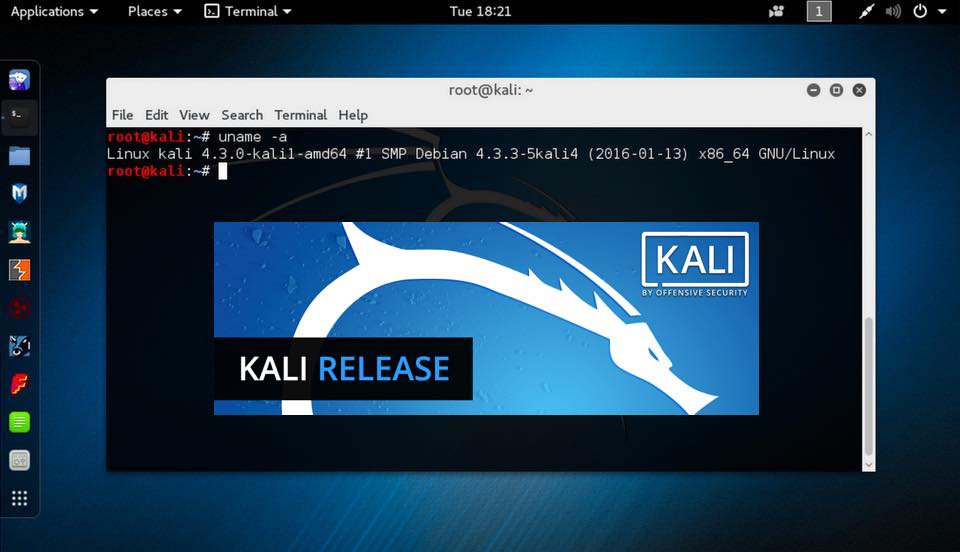
Offensive Security has updated the Kali Linux images with new features and changes. Termed Kali Linux 2017.1, this release comes with su...
Offensive Security has updated the Kali Linux images with new features and changes. Termed Kali Linux 2017.1, this release comes with support for wireless injection attacks to 802.11ac and Nvidia CUDA GPU. You can simply update your existing installation by running few commands if you don’t wish to download the updated images from Kali repos.
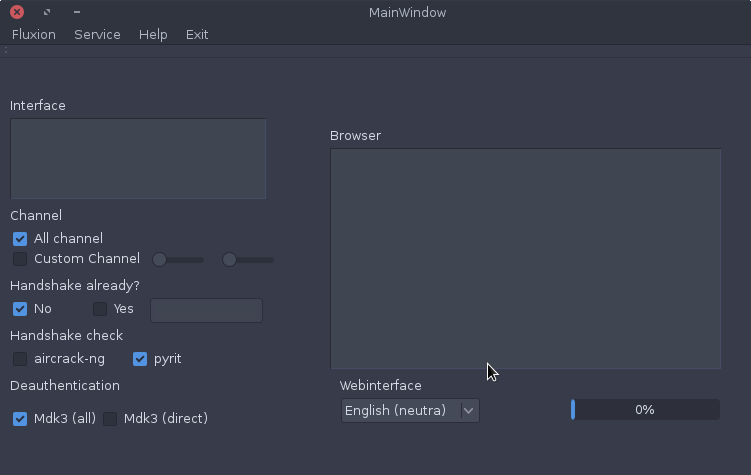
Fluxion is a remake of linset by vk496 with less bugs and more features. It’s compatible with the latest release of Kali (Rolling). Lat...
Fluxion is a remake of linset by vk496 with less bugs and more features. It’s compatible with the latest release of Kali (Rolling). Latest builds (stable) and (beta) HERE . If you new, please start reading the wiki
How it works:
Step 1: Scan the networks. Step 2: Capture a handshake (can’t be used without a valid handshake, it’s necessary to verify the password) Step 3: Use WEB Interface * Step 4: Launch a FakeAP instance to imitate the original access point Step 5: Spawns a MDK3 process, which deauthenticates all users connected to the target network, so they can be lured to connect to the FakeAP and enter the WPA password. Step 6: A fake DNS server is launched in order to capture all DNS requests and redirect them to the host running the script Step 7: A captive portal is launched in order to serve a page, which prompts the user to enter their WPA password Step 8: Each submitted password is verified by the handshake captured earlier Step 9: The attack will automatically terminate, as soon as a correct password is submitted
Requirements:
Linux operating system
Kali Linux 2 or Kali 2016.1 rolling
Kali 2 & 2016 support the latest aircrack-ng versions
Shellter is a dynamic shellcode injection tool, and probably the first dynamic PE infector ever created. It can be used in order to inj...
Shellter is a dynamic shellcode injection tool, and probably the first dynamic PE infector ever created. It can be used in order to inject shellcode into native Windows applications (currently 32-bit apps only). The shellcode can be something yours or something generated through a framework, such as Metasploit.
Shellter takes advantage of the original structure of the PE file and doesn’t apply any modification such as changing memory access permissions in sections (unless the user wants), adding an extra section with RWE access,and whatever would look dodgy under an AV scan.
Features
Compatible with Windows x86/x64 (XP SP3 and above) & Wine/CrossOver for Linux/Mac.
Portable – No setup is required.
Doesn’t require extra dependencies (python, .net, etc…).
No static PE templates, framework wrappers etc…
Supports any 32-bit payload (generated either by metasploit or custom ones by the user).
Compatible with all types of encoding by metasploit.
Compatible with custom encoding created by the user.
Stealth Mode.
Multi-Payload PE infection.
Proprietary Encoding.
Dynamic Thread Context Keys.
Supports Reflective DLL loaders.
Embedded Metasploit Payloads.
Junk code Polymorphic engine.
Thread context aware Polymorphic engine.
User can use custom Polymorphic code of his own.
Takes advantage of Dynamic Thread Context information for anti-static analysis.
Detects self-modifying code.
Traces single and multi-thread applications.
Fully dynamic injection locations based on the execution flow.
Disassembles and shows to the user available injection points.
User chooses what to inject, when, and where.
Command Line support.
Free
How does it work?
Shellter uses a unique dynamic approach which is based on the execution flow of the target application. This means that no static/predefined locations are used for shellcode injection. Shellter will launch and trace the target, while at the same time will log the execution flow of the application.
What does it trace?
Shellter traces the entire execution flow that occurs in userland. That means, code inside the target application itself (PE image), and code outside of it that might be in a system dll or on a heap, etc… This happens in order to ensure that functions actually belonging to the target executable, but are only used as callback functions for Windows APIs will not be missed.
During tracing, Shellter will not log or count any instructions that are not in the memory range of the PE image of the target application, since these cannot be used as a reference to permanently inject the shellcode.
Why do I need Shellter?
Bypass AVs.
Executables created through Metasploit, or other penetration testing frameworks, are most likely detected by most AV vendors. By using Shellter, you automatically have an infinitely polymorphic executable template, since you can use any 32-bit ‘standalone’ native Windows executable to host your shellcode. By ‘standalone’ means an executable that is not statically linked to any proprietary DLLs, apart from those included by default in Windows.
You can also use applications that make use of proprietary DLLs if those are not required to create the process in the first place, and are normally loaded later on if needed to execute code for a specific task. In case you select an application that needs one or more proprietary DLLs to create the process in the first place then you will have to include them in the same directory from where you load the main executable. However, this is not recommended since it is more convenient to have just a single executable to upload to the target.
System Requirements
It is recommended that you use Windows XP SP3 (32/64-bit) and above.
CPU: The better the faster. It’s only a matter of time.
RAM:
Tracing 1 million instructions without Thread Context logging => ~ 6 MBs
Tracing 1 million instructions with Thread Context logging => ~ 28 MBs
Tracing 10 million instructions without Thread Context logging => ~ 40 MBs
Tracing 10 million instructions with Thread Context logging => ~ 270 MBs
CMS Identification blindelephant The BlindElephant Web Application Fingerprinter attempts to discover the version of a (known) web appl...
CMS Identification
blindelephant
The BlindElephant Web Application Fingerprinter attempts to discover the version of a (known) web application by comparing static files at known locations against precomputed hashes for versions of those files in all all available releases. The technique is fast, low-bandwidth, non-invasive, generic, and highly automatable.
Kali is an awesome distribution for pentesting. But with so many choices, one may find it daunting to find a specific tool for a task witho...
Kali is an awesome distribution for pentesting. But with so many choices, one may find it daunting to find a specific tool for a task without having used it before. Or maybe you’re wondering about some tools but don’t feel like testing every single one. So I decided to briefly go over the tools provided by Kali and provide a quick description. Where available, I will use the ones presented on their respective websites / manpages etc.
So, let’s begin!
DNS Analysis
dnsdict6
Enumerates a domain for DNS entries, it uses a dictionary file if supplied or a built-in list otherwise. This tool is based on dnsmap by gnucitizen.org.